I came across this r/FidelityInvestment Reddit post today about how a Fidelity user had their account compromised (and also eventually restored). In the discussion about how the hackers might have gained access to the account, I learned about some new dangers. I’m not a security expert, but this is my understanding after reading about “pass the cookie” or “cookie hijacking” attacks. The FBI also put out this alert Cybercriminals Are Stealing Cookies to Bypass Multifactor Authentication.
First, obviously phishing is a very common attack nowadays, and for example, if you enter your Fidelity password on a website that looks like the Fidelity login page, then they have your password.
But if you have 2FA, you are still protected, right?
A different danger is that malware or a malicious website may use “cookie hijacking” to steal the cookies in your browser that make it appear that you have logged in before. If you use the “trusted device” feature where they bypass the 2FA/MFA (2-Factor Authentication/Multi-Factor Authentication) requirements since you are logging in from a supposedly “trusted device”, then they can now access your account without needing that text message or Authenticator code.
In some cases, if you are actively logged into your account already, malware or a malicious website can even steal your “active session” cookie that makes it appear that you’ve already logged in and passed the authentication checks. Because the website thinks you’ve already logged in, they don’t ask for anything at all.
Here are some actionable steps to maintain the highest security:
- Only log into sensitive financial accounts using devices where you know the operating system and web browser are secure and updated.
- Don’t log in from public WiFi, even with https://. If you do, at least use a VPN.
- Turn off the “trusted device” feature that removes 2FA or MFA if you are logging in from a “trusted device” with the proper browser cookie.
This is more hassle, but basically you always want to require more than one factor.
- Don’t check the “Remember me” box when you log in on a sensitive site.
- Log in to do your financial business, and then immediately manually click “log out” to delete that active session cookie on both your browser and the external server. Do not stay logged in while you visit other websites, or wait for the system to automatically log you out after 15 minutes or so.
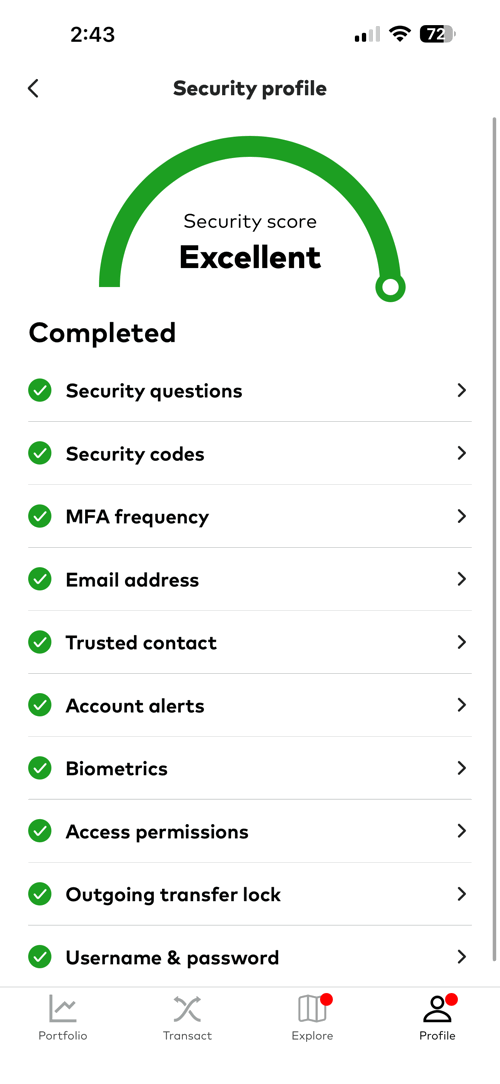
Turning off the “trusted device” feature was the last thing I needed to do in order to score an “Excellent” score on my Vanguard security profile as well.
Disclaimer: This story is auto-aggregated by a computer program and has not been created or edited by finopulse.
Publisher: Source link